

Rewards need a code or selection from the Promotions widget.
Either way, it’s quick once you know the steps.
Either way, it’s quick once you know the steps.
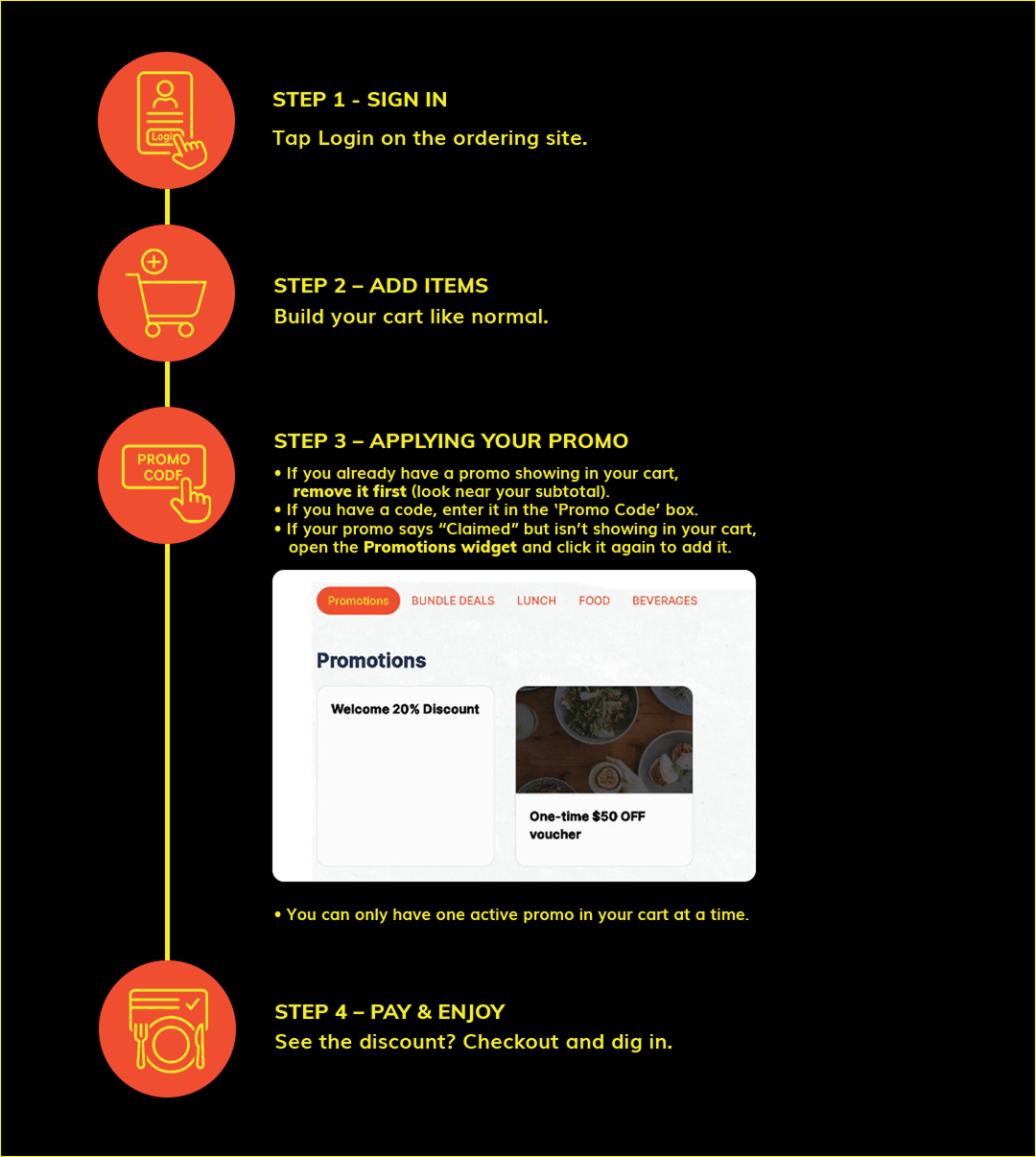
💡 Tip: If your discount isn’t showing, check the Promotions widget.
Click your offer again to add it to the cart before paying.
Frequently Asked Questions
Which rewards auto-apply?
No reward will auto apply; all promos require a code entry.
Which require a code?
Printed, emailed, or in‑store offers may require code entry.
Why is my promo “Claimed” but not working?
Remove any current promo, then open the Promotions widget and click your offer again to add it to your cart.
Can I use more than one reward?
No, one promo per order.
Need help?
Contact our team for assistance.

